






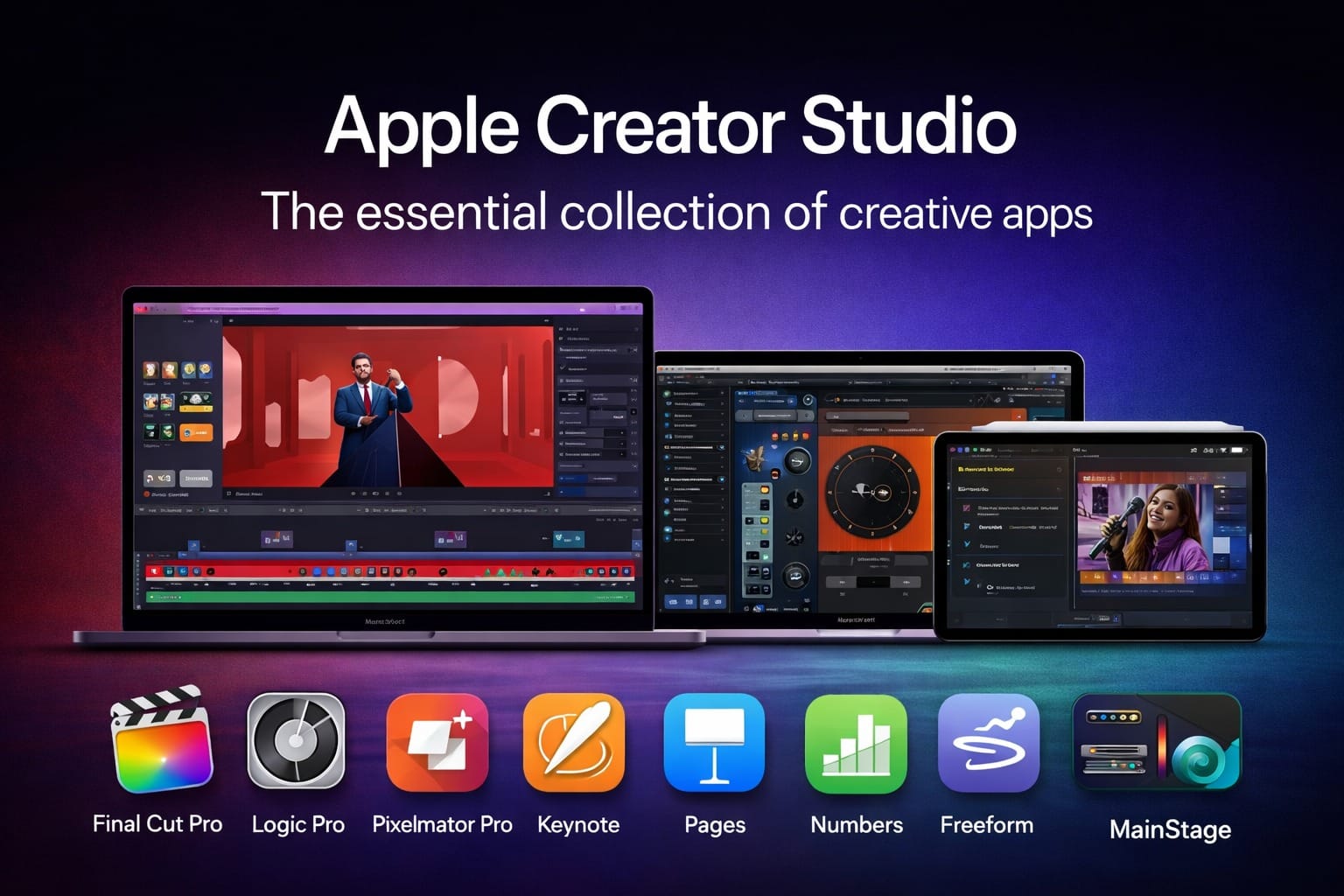
Apple has officially launched Apple Creator Studio, a powerful all-in-one subscription designed for creators who work with video, music, design, and productivity. With this move, Apple is clearly positioning itself as a serious competitor to creative software bundles like Adobe Creative Cloud, while tightly integrating hardware, software, and intelligence across Mac and iPad.
Apple Creator Studio brings together Apple’s most advanced creative apps under one subscription — making professional-grade tools more accessible to filmmakers, YouTubers, musicians, designers, students, and modern content creators.
This article explains what Apple Creator Studio is, what apps are included, features of each app in detail, and complete pricing for individuals, students, educators, and new device buyers.
What Is Apple Creator Studio?
Apple Creator Studio is Apple’s essential collection of creative and productivity apps, offered as a single subscription.
It includes:
- Final Cut Pro
- Logic Pro
- Pixelmator Pro
- Motion
- Compressor
- MainStage
- Keynote
- Pages
- Numbers
- Freeform
Together, these apps cover the entire creative workflow — from video editing and music production to image design, presentations, writing, spreadsheets, and brainstorming.
Apple’s focus is clear:
“Craft your stories with video, reimagine images, produce music, and supercharge productivity — all within the Apple ecosystem.”
Why Apple Creator Studio Matters in 2026
The creator economy is exploding. More people are creating content for:
- YouTube and podcasts
- Instagram Reels and Shorts
- OTT platforms
- Online courses
- Freelance design and media work
Until now, creators had to juggle multiple subscriptions across different companies. Apple Creator Studio simplifies this by offering deeply integrated, high-performance creative tools optimized for Apple Silicon.
Also read – India EU Free Trade Agreement Explained
Final Cut Pro: Professional Video Editing Made Faster
Final Cut Pro is Apple’s flagship video editing software and a core part of Apple Creator Studio.
Key Features of Final Cut Pro
- Magnetic Timeline for fast, intuitive editing
- Advanced color grading tools with HDR support
- AI-powered intelligence for faster editing workflows
- Optimized performance on Apple Silicon (M-series chips)
- Support for 4K, 8K, ProRes, and cinematic video formats
Final Cut Pro is widely used by:
- YouTubers
- Filmmakers
- Video editors
- Content agencies
Bonus Apps Included with Final Cut Pro
Motion
Motion allows creators to design:
- Custom titles
- Transitions
- Motion graphics
- Visual effects
It integrates seamlessly with Final Cut Pro, making it ideal for professional video workflows.
Compressor
Compressor handles:
- Advanced video encoding
- Custom export presets
- Optimized delivery for YouTube, OTT, and social platforms
Together, Final Cut Pro + Motion + Compressor form a complete professional video production pipeline.
Pixelmator Pro: Intelligent Image Editing & Design
Pixelmator Pro is Apple’s advanced image editing and design app, now fully included in Apple Creator Studio.
What Pixelmator Pro Can Do
- Edit photos with AI-powered tools
- Create vector graphics
- Design posters, thumbnails, social creatives
- Use professionally crafted templates
- Non-destructive editing with layers and masks
Pixelmator Pro is especially powerful for:
- YouTube thumbnails
- Instagram creatives
- Digital artists
- UI and graphic designers
Unlike traditional design tools, Pixelmator Pro is built specifically for macOS and Apple Silicon, delivering fast performance with minimal system load.
Logic Pro: Music Production for Professionals and Beginners
Logic Pro is one of the world’s most respected digital audio workstations (DAWs).
Core Features of Logic Pro
- Intelligent beat-making tools
- Songwriting and composition features
- Advanced mixing and mastering
- Huge library of instruments, loops, and sounds
- AI-assisted music creation
Logic Pro is used by:
- Music producers
- Composers
- Podcast creators
- Sound designers
MainStage: Live Performance Tool
Along with Logic Pro, Apple Creator Studio includes MainStage, which is designed for:
- Live performances
- Keyboard players
- Real-time instrument control
This makes Apple Creator Studio ideal not just for studio creators, but also live performers and musicians.
Keynote, Pages, Numbers & Freeform: Productivity Meets Creativity
Apple Creator Studio also upgrades Apple’s productivity apps with premium creative content and intelligence features.
Keynote
- Create stunning presentations
- Use cinematic animations and transitions
- Generate visuals with intelligent image tools
- Present across iPhone, iPad, and Mac
Perfect for:
- Creators
- Educators
- Startup founders
- Business presenters
Pages
- Professional writing and document design
- Premium templates
- Ideal for scripts, blogs, proposals, and eBooks
Numbers
- Powerful spreadsheets with visual charts
- Easy data analysis
- Ideal for finance tracking, planning, and reports
Freeform
- Visual brainstorming
- Collaborative whiteboards
- Mind-mapping and idea planning
⚠️ Note:
Premium content and advanced features in Freeform are expected to be added to Apple Creator Studio later this year.
Apple Creator Studio Pricing in India (2026)
Apple has introduced flexible and creator-friendly pricing, making professional tools more accessible.
👤 Individual Users (New Subscribers)
- 1 month free trial
- Then ₹399 per month
- Or ₹3,999 per year
Best for:
- Freelancers
- YouTubers
- Independent creators
🎓 Students & Educators
- 1 month free trial
- Then ₹199 per month
- Or ₹1,999 per year
Eligibility:
- Verified college students
- Educators
This is one of the most affordable professional creative bundles available for students globally.
💻 New Mac or iPad Buyers
- Get 3 months free when you buy a new Mac or iPad
- After that:
- ₹399/month or ₹3,999/year
Important conditions:
- New or qualified returning subscribers only
- One offer per Apple Account
- Not valid if you previously used the 3-month free offer
Who Should Use Apple Creator Studio?
Apple Creator Studio is ideal for:
- YouTubers and video editors
- Musicians and podcasters
- Graphic designers and digital artists
- Students in media, design, music, and communication
- Freelancers and content agencies
- Business professionals who create presentations and content
If you already use a Mac or iPad, Apple Creator Studio offers exceptional value.
Apple Creator Studio vs Adobe Creative Cloud
While Adobe still dominates in some areas, Apple Creator Studio offers:
- Better optimization for Apple hardware
- Simpler pricing
- Strong performance with Apple Silicon
- No heavy background processes
- Deep system-level integration
For creators focused on video, music, and productivity, Apple Creator Studio is a compelling alternative.
Final Verdict: Is Apple Creator Studio Worth It?
Apple Creator Studio is not just a subscription — it’s a complete creative ecosystem.
With one plan, creators get:
- Professional video editing
- Advanced music production
- Intelligent image design
- Premium productivity tools
At ₹399 per month, it offers tremendous value, especially when compared to multiple separate subscriptions.
If you are serious about creating content in 2026 and beyond, Apple Creator Studio is one of the most powerful creative investments you can make.
Subscribe to our YouTube Channel The Logic Stick for more video insights